
AI Photo Apps for Selfies: What They Do and How to Choose Safely
AI photo apps can sharpen an old selfie, swap a background or turn your face into a painting in seconds. They can also keep your photos, use them to train their models and charge you a weekly subscription you forgot to cancel. Here's what these apps actually do, and the checks to run before you hand one your face.
The short version
- Try your phone's built-in editor first. It's free and keeps photos on your account.
- Read the privacy answers to the five questions below before uploading anything.
- Watch free trials: many turn into paid subscriptions automatically.
- Only upload faces you have permission to use, starting with your own.
What AI photo apps actually do
"AI" covers several different jobs. Knowing which one you want saves you from paying for features you don't need.
- Enhance and upscale: sharpens blurry or low-resolution photos and reduces noise. Useful for old or night-time selfies. Heavy enhancement can invent detail, such as eyelashes, teeth or skin texture, that wasn't there.
- Retouch: smooths skin, removes blemishes, whitens teeth and brightens eyes. The same idea as a beauty filter, with more control.
- Background tools: blurs, removes or replaces the background behind you.
- Generative edits: removes objects or people, extends the frame or changes parts of the image based on a text prompt.
- Avatars and restyles: turns a set of your selfies into illustrated, 3D or "professional headshot" versions of you. These usually need you to upload many photos of your face, which makes the privacy questions below more important.
Popular apps people ask about include Lensa, Remini, FaceApp and Picsart. Google Photos and Apple Photos also have built-in editing tools, some of them AI-powered. Features, prices and policies change often, so check each app's current store listing rather than relying on an old review, including ours.
Start with the editor you already have
Before installing anything, open the photo in your phone's own gallery app and try its edit tools. Auto-enhance, light and color adjustments, portrait blur and basic retouching cover most selfies, and your photo doesn't go to a new company. If the built-in tools can't do what you want, then compare dedicated apps.
The privacy check: five questions before you upload your face
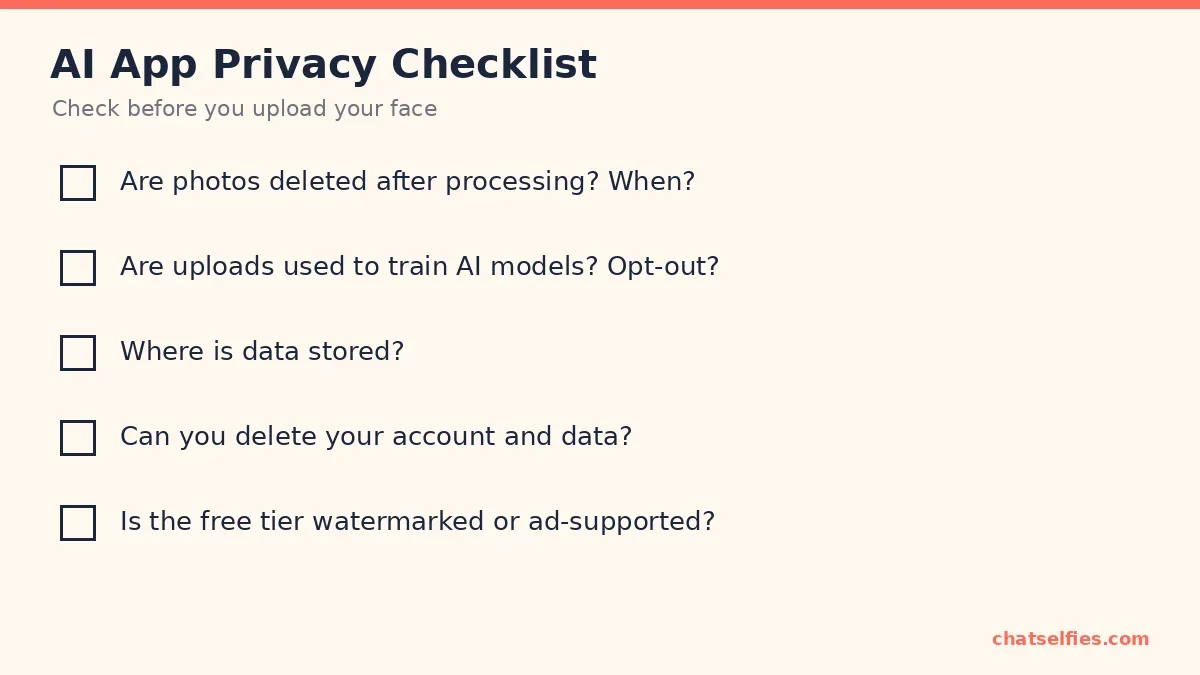
Your face is biometric-style data: you can change a password, but not your face. Look for clear answers in the app's privacy policy and in the privacy information on its store listing. On the App Store, each app's product page shows what data the app may collect and whether it's linked to you. On Google Play, check the app's Data safety section before you install.
- Are photos deleted after processing, and when? "Deleted within 24 hours" is a real answer. "Retained as long as necessary" isn't.
- Are uploads used to train AI models, and can you opt out? Some apps use uploads to improve their models unless you switch it off.
- Where is the data stored? The country and the company that holds it matter for which privacy laws protect you.
- Can you delete your account and data? Look for an in-app delete option or a clear request process, not just "contact us".
- Is the free tier watermarked or ad-supported? Check the store's privacy label to see what an ad-supported app shares with advertisers.
If you can't find answers, treat that as the answer, and don't upload photos you wouldn't want stored indefinitely.
What the store privacy labels say (checked October 14, 2026)
These labels are written by each developer, not verified by Apple or Google, and they can change with any update. Open the listing again before you install.
- Lensa (App Store, Google Play): Apple's label lists purchases and identifiers as data that may be used to track you, and user content as linked to you; Google Play lists photos as optional collected data and says you can request deletion.
- Remini (App Store, Google Play): Apple's label lists identifiers as data that may be used to track you, email address as linked to you, and photos or videos as collected but not linked to you; Google Play lists photos as collected for app functionality and marks the app "Contains ads".
- FaceApp (App Store, Google Play): Apple's label lists only data not linked to you (purchases, identifiers, usage data and diagnostics); Google Play lists photos as optional collected data, and approximate location and device IDs as shared, including for advertising or marketing.
- Picsart (App Store, Google Play): Apple's label lists identifiers as data that may be used to track you, and photos or videos, name, email address and search history as linked to you; Google Play lists photos and videos as shared for app functionality and marks the app "Contains ads".
Watch out for subscription traps
Many AI photo apps offer a free trial that turns into a paid subscription unless you cancel. Before you tap "Start free trial", note the renewal price and date. Deleting the app does not cancel the subscription; Google says so directly. Cancel it in your store account:
- iPhone: open Settings, tap your name, tap Subscriptions, tap the subscription, then tap Cancel Subscription (Apple's steps). Apple advises cancelling a trial you don't want at least 24 hours before it ends.
- Android (Google Play): go to your subscriptions in Google Play, select the subscription, tap Cancel subscription and follow the instructions (Google's steps).
Getting results that don't look fake
- Start with a good photo. AI can't recover a face lost in shadow. Window light and a steady phone (see Selfie Technique: Light, Angles and Poses That Work) still matter. If the original is blurry, grainy or flipped, fix that first with Selfie Problems Fixed: Flipped, Blurry, Grainy and More.
- Use the lowest strength that works. Most apps have an intensity slider. Pull it back until the effect stops being obvious.
- Check the usual giveaways at full size: hands and fingers, ears, teeth, earrings, glasses, hair edges and any text in the background.
- Compare side by side with the original before you post. If friends wouldn't recognize you, it's gone too far.
Consent and honesty
Only upload photos of other people if they've agreed. Don't create edited images that put a real person in a situation that didn't happen. In many places that can be harassment or illegal, and it breaks most apps' rules. Some platforms require you to label AI-generated or heavily AI-edited images. Follow their rules when you post.
How we test AI selfie apps
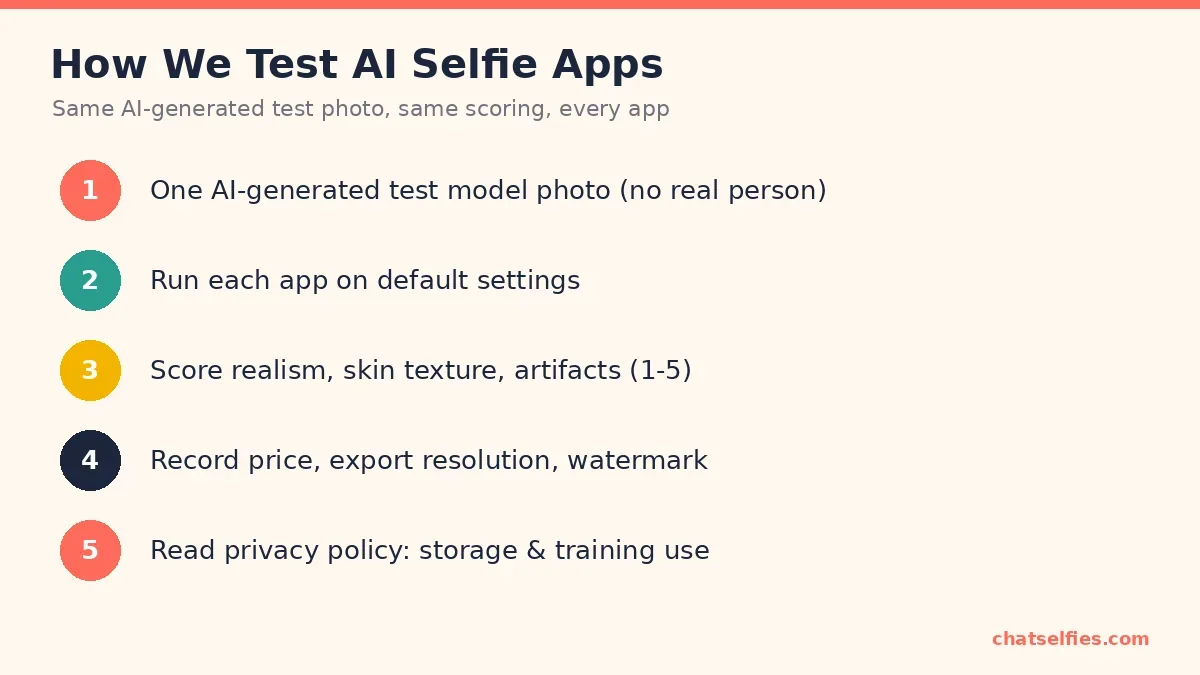
We haven't published app-by-app scores yet. This is the method we'll use for future reviews, explained in full on How We Test.
Prefer to edit by hand? How to Edit a Selfie: 6 Steps and the Right Filter Strength gets most selfies where you want them with free tools.